Mine with asbplayer, no Anki needed
Sentences and audio from shows and videos, straight into Flashfriend, without Anki or AnkiConnect.
Watching a show in Mandarin, Japanese, Spanish or French and hear a word you want to keep? asbplayer lets you grab it straight from the subtitles, along with the line it was said in and a clip of it being said. With Flashfriend connected, it all goes to your Flashfriend Inbox, ready for you to make its card, with a picture that’s yours. You don’t need Anki or AnkiConnect: Flashfriend answers asbplayer itself.
You can also have asbplayer colour the subtitles by what you know in Flashfriend, so you can see at a glance which words you’ve got and which are new.
Setting up takes about five minutes, and you only do it once. Flashfriend has these steps too, with the address ready to copy: Settings › Add words from other apps › Step-by-step guide for asbplayer.
What you need
- A computer with asbplayer: the website, or its browser extension for streaming sites.
- A show or video with subtitles in the language you’re learning.
- Your Flashfriend account.
You don’t need Anki. asbplayer was made to work with Anki, but it’s just as happy talking to Flashfriend.
Set it up
1. Make a key in Flashfriend
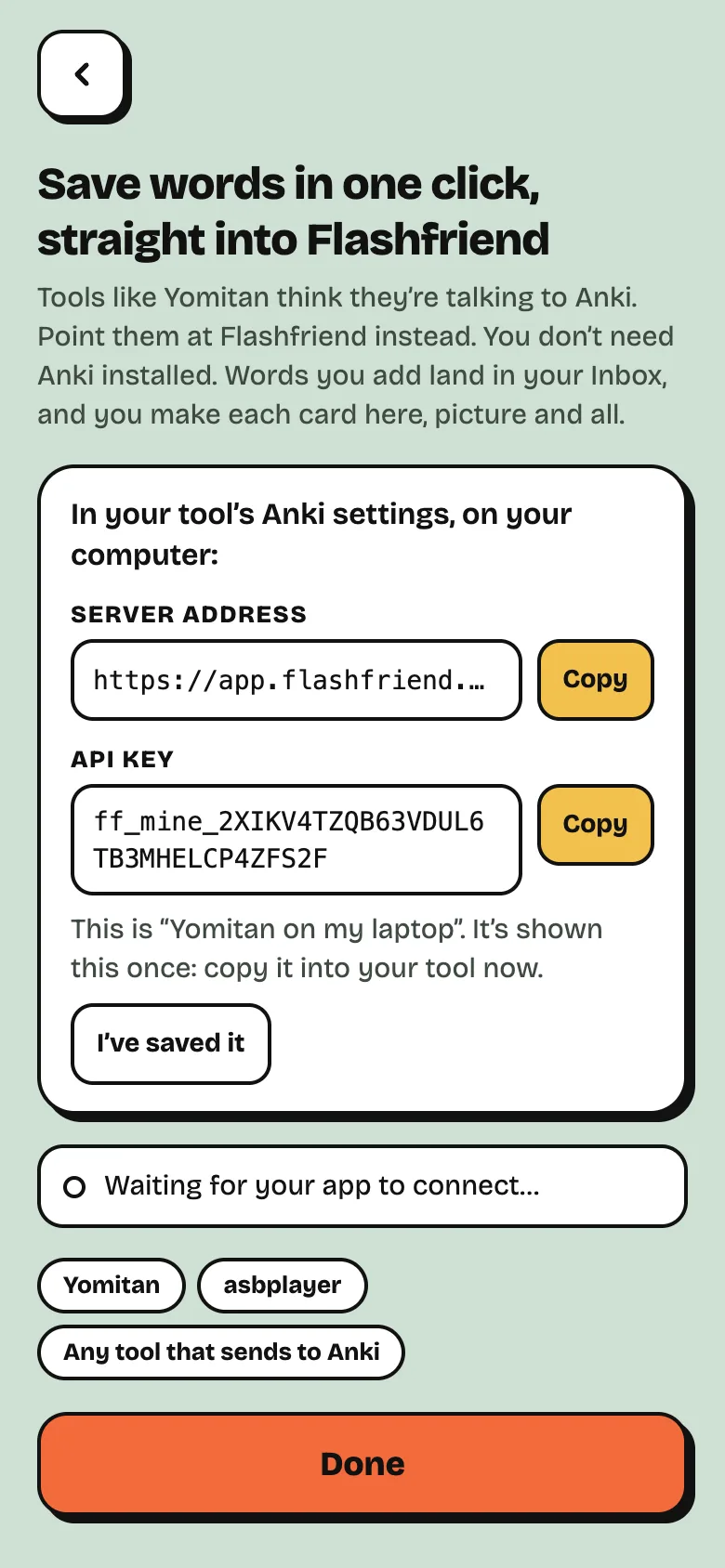
In Flashfriend, go to Settings › Add words from other apps. Name your key, like asbplayer on my laptop, and tap Make a key.
Keep this screen open: you’ll copy two things from it. Flashfriend only shows the key once, but you can always make a new one.
2. Tell asbplayer where to send words
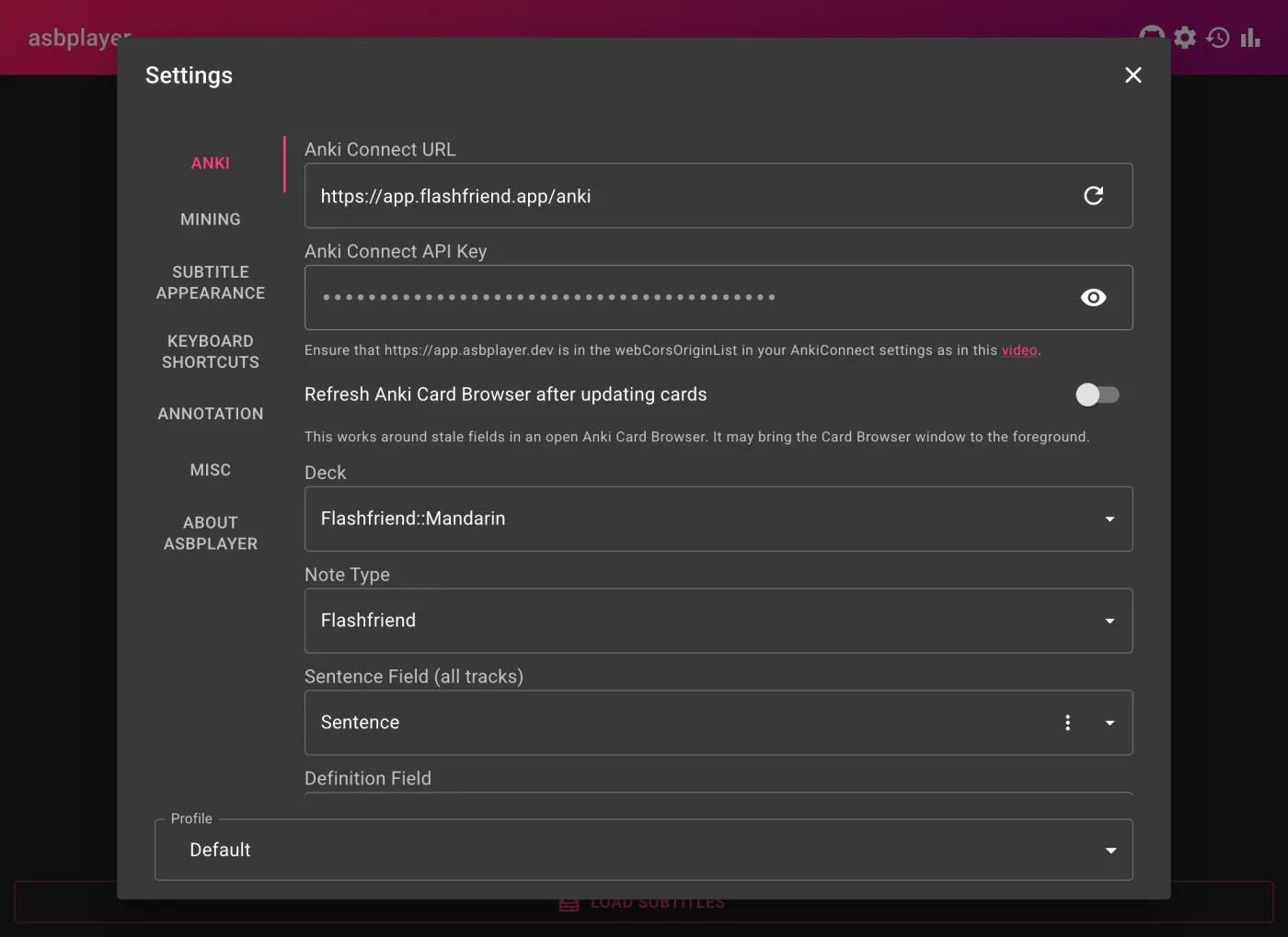
In asbplayer, open Settings (the cog, top right) and go to Anki:
| Setting | What to put |
|---|---|
| Anki Connect URL | https://app.flashfriend.app/anki (the Server address from Flashfriend) |
| Anki Connect API Key | the API key from Flashfriend |
| Deck | Flashfriend::Mandarin, Flashfriend::Japanese, Flashfriend::Spanish or Flashfriend::French |
| Note Type | Flashfriend |
| Sentence Field | Sentence |
| Definition Field | Meaning |
| Word Field | Word |
| Audio Field | SentenceAudio |
| Source Field | Source |
| URL Field | URL |
| Image Field | leave it empty |
Why leave Image Field empty? In Flashfriend, every card’s picture is one you make yourself. That’s what makes it stick.
asbplayer mentions adding it to a webCorsOriginList. That’s for Anki, so you can skip it. You can skip its
buttons for creating a deck or note type too: Flashfriend’s are already there.
Once the address and key are in, Flashfriend will say Connected: asbplayer.
Save your first word
- Play your video with its subtitles. When you hear a word you want, find its line in the subtitle list and click the little card icon next to it.
- Type the word into Word. You can add a meaning in Definition if you like. If you don’t, Flashfriend fills it in when you make the card.
- Click Export.
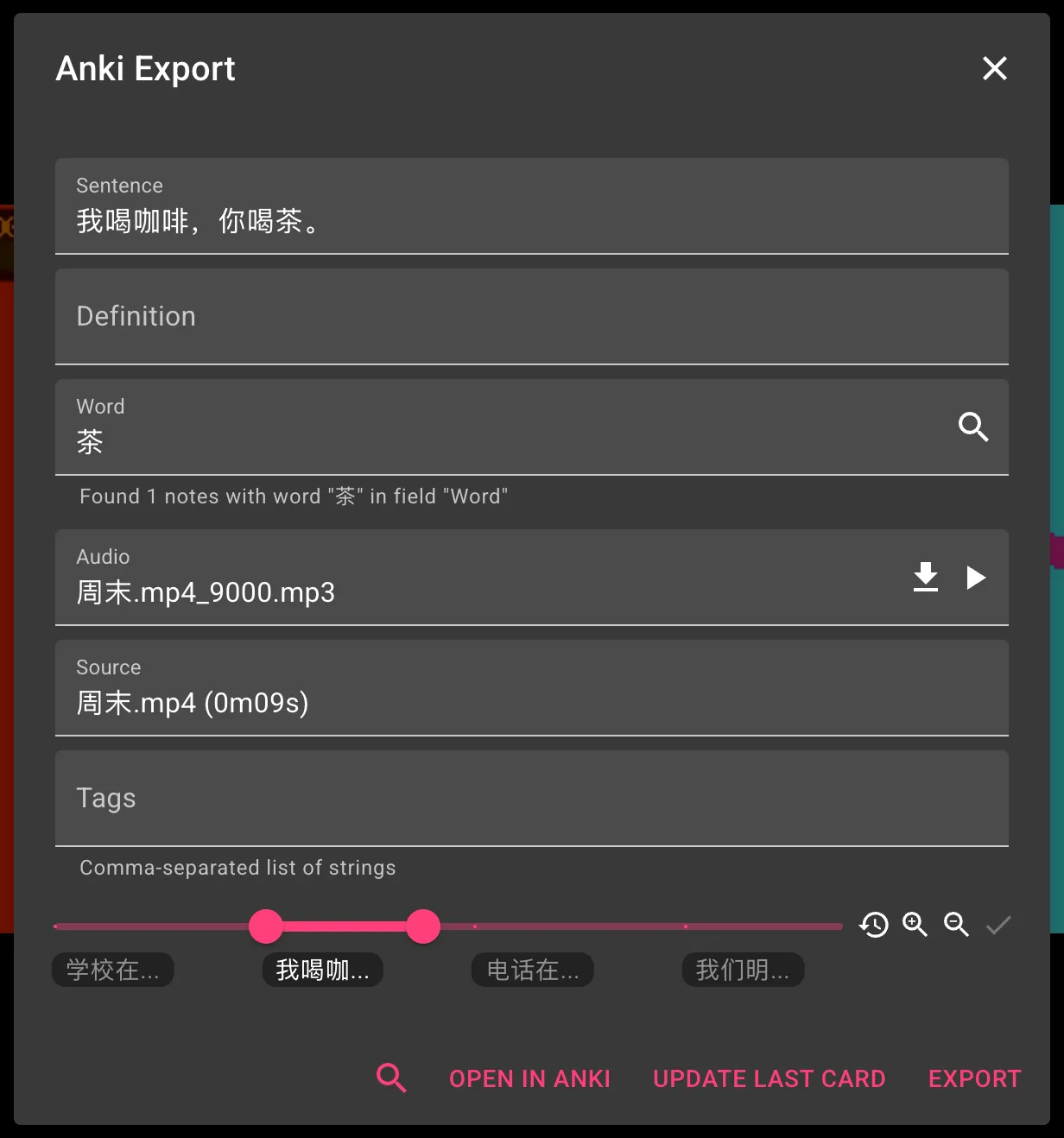
The word is now in your Flashfriend Inbox, with the line it came from and a play button for the clip.
Already have the word?
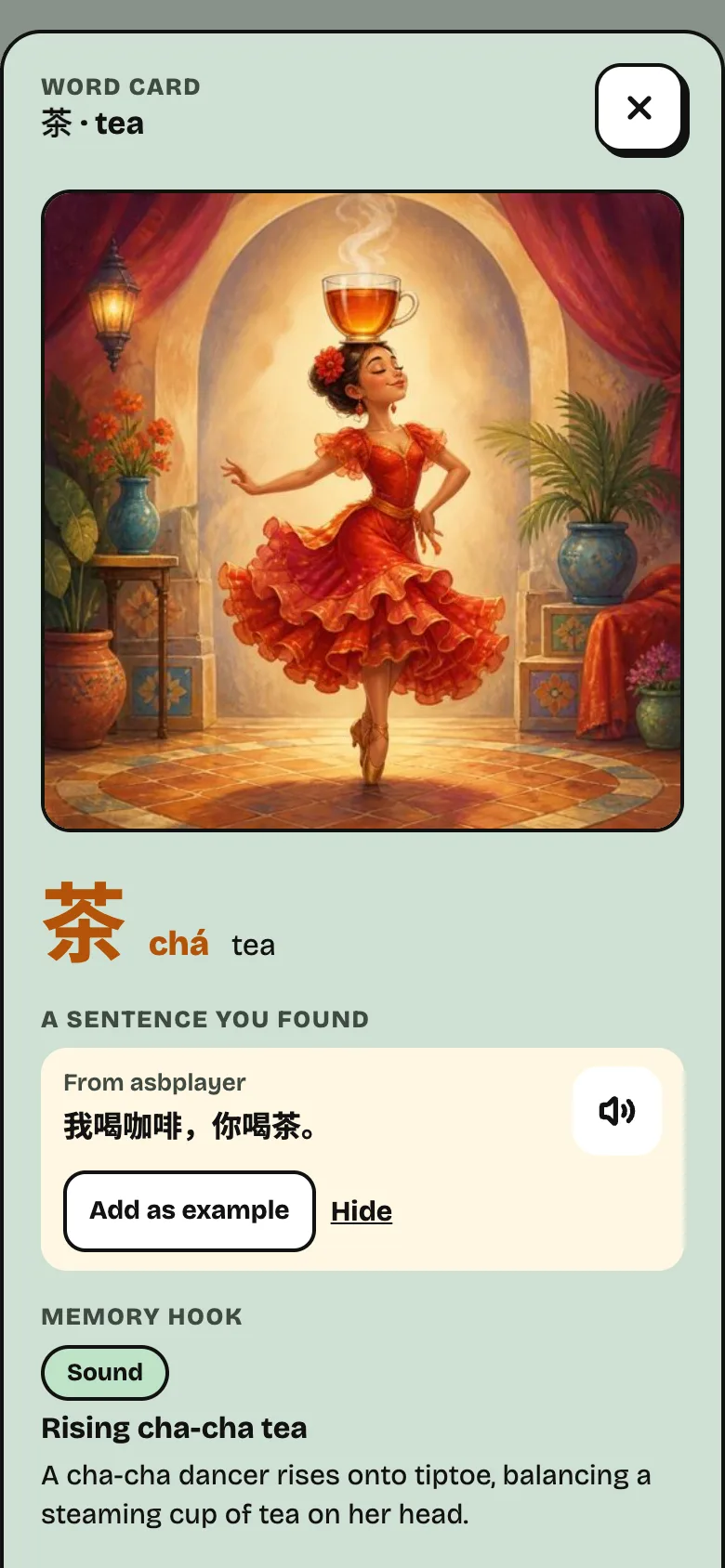
No problem. Your card stays just as it is, and the line shows up on that word in Deck, as a sentence you found. Tap Add as example to see it under the answer when you review, or Hide to let it go.
Saving with Yomitan too
If you look words up with Yomitan as you watch, add the word with Yomitan first, then click Update Last Card in asbplayer. The line and its clip go to the word you just added.
Colour the subtitles (optional)
asbplayer can underline each word by how well you know it in Flashfriend:
- red: not in Flashfriend yet
- orange: new
- yellow: learning
- green and blue: learned recently
- no underline: you know it well
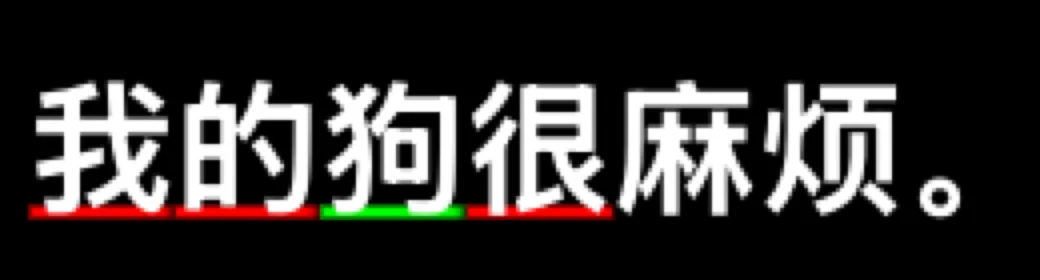
To turn it on, go to asbplayer’s Settings › Annotation:
- Turn on Colorize subtitles based on known words for your subtitles.
- Choose the Anki word database, with
Wordas the word field. - Leave Mature Anki stability/interval (days) at 21. That’s when Flashfriend counts a word as well known too.
Colouring also needs Yomitan’s Yomitan API add-on running: asbplayer’s Annotation settings link to it.
Cards that keep slipping, and words you’ve decided not to learn, count as “suspended” here. Treat suspended Anki cards as lets you choose how they’re coloured.
If something’s not working
- asbplayer says “API key required”, or that the key isn’t valid. It may have a typo, or you may have turned that key off. Make a new key in Add words from other apps and paste it in again.
- The Deck and Note Type lists are empty. Check the URL is exactly
https://app.flashfriend.app/anki, then click the ⟳ next to it. - The subtitles aren’t coloured. Make sure the Yomitan API add-on is running. asbplayer’s Annotation settings say if it can’t find it.
- A word I just reviewed hasn’t changed colour. asbplayer checks for changes every few seconds, once your phone or browser has synced your review.